- The first viewer to type !race opens a 10-second join window
- If every lane fills, the race starts immediately
- Bots fill any open spots when the timer expires
- Each race lasts about 12 seconds
- The first car across the finish line wins
CHAT RACE
PUBLIC BETA V2 · MINI + FULL
CHAT CONTROLS
THE RACE.
Chat Race is an interactive Kick chat racing game for OBS. Viewers join with !race, use NOS, bump nearby racers, and compete against viewers or bots in fast 12-second races.
MINI · 4 RACERS
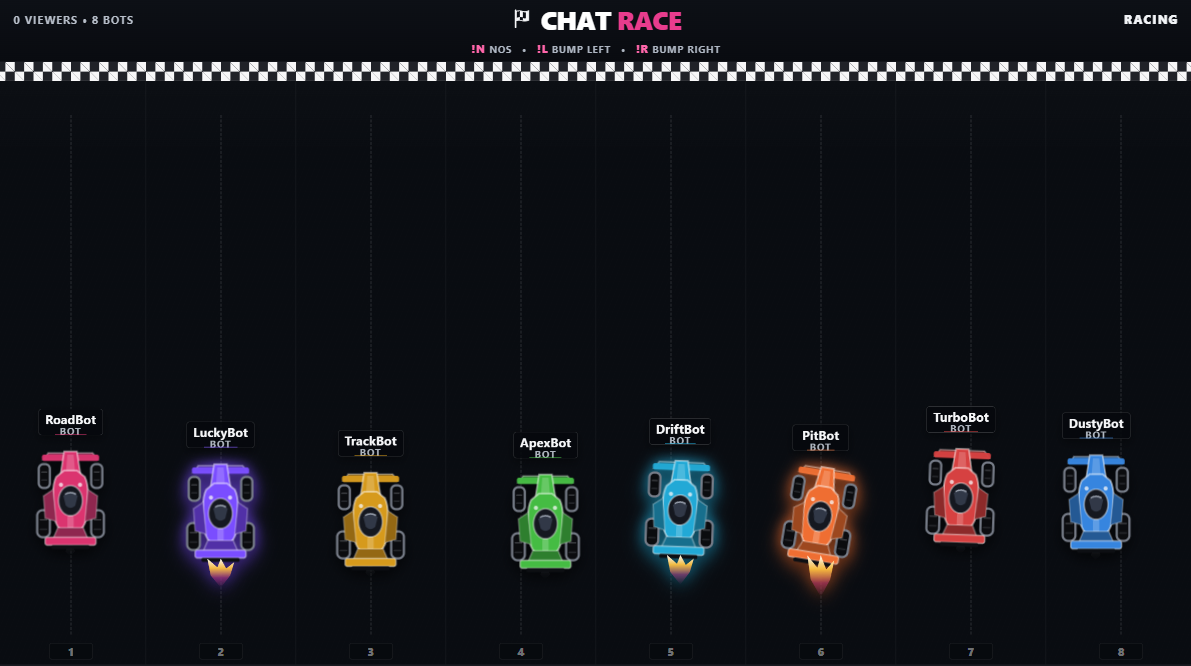
FULL · 8 RACERS
10-SECOND JOIN WINDOW
12-SECOND RACES
WAITING QUEUE
OBS + KICK CHAT
VIEWERS PLAY THROUGH CHAT · NO VIEWER DOWNLOAD
HOW IT WORKS
FAST RACES. SIMPLE CHAT COMMANDS.
- !N activates one NOS speed boost per race
- !L bumps the racer directly to the left
- !R bumps the racer directly to the right
- Bumps recharge after a 2-second cooldown
- Bots can use NOS and bump racers too
WAITING QUEUE
FULL RACE? YOU’RE NEXT IN LINE.
KEEP TYPING !RACE
When every lane is taken, additional viewers can still join and are automatically placed in the waiting queue.
MOVE UP IN ORDER
After the race, queued viewers are promoted into the next race in the same order they joined.
KEEP RACING
Bots fill whatever spots remain, so the streamer never has to manually organize another round.
TWO FORMATS
RUN IT SMALL. MAKE IT THE MAIN EVENT.
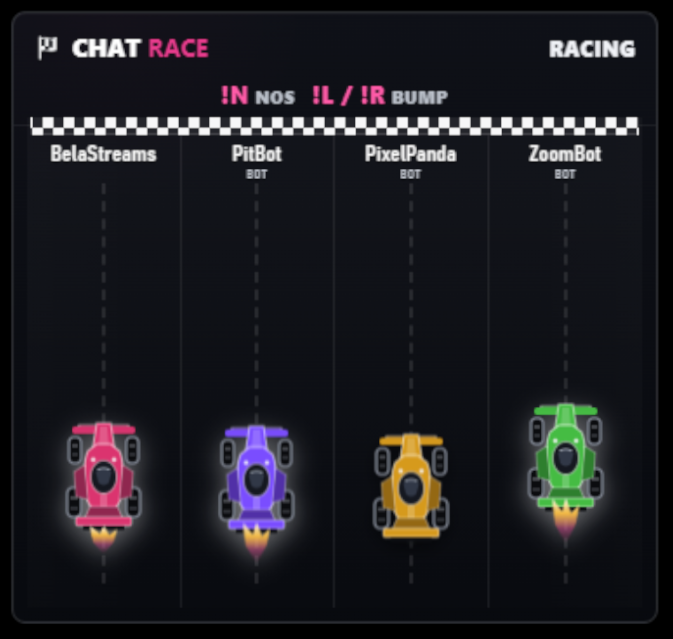
- Compact corner overlay for a normal stream
- Runs alongside gaming, reactions, chatting, or other content
- Best for long streams and always-on viewer interaction
- Full-screen track that makes the race the main event
- Best for community races, special events, and intermissions
- Built for viewer competitions and free-entry giveaway races
OBS + SETUP
START CHAT RACE. OPEN OBS. STREAM.
ADD A BROWSER SOURCE
Both versions run locally in OBS. Chat Race provides the Browser Source address after the streamer completes setup.
LOCAL OBS ADDRESS PROVIDED AFTER SETUPRUN FIRST_TIME_SETUP.BAT
Run the included setup file once. Chat Race downloads portable Python and Node runtimes into its own folder, starts the backend, and walks the streamer into the Cloudflare setup.
WHAT THE STREAMER NEEDS
Windows PC, OBS Studio, internet during first-time setup, a Kick account with a Kick Developer App, and a free Cloudflare account. Python and Node do not need to be installed.
Nothing is installed system-wide. After setup, normal use is START_CHAT_RACE.bat → Open OBS → Stream.
DOWNLOAD OPTIONS
MINI, FULL, OR BOTH.
CHAT RACE MINI
Four racers in a compact 380 × 360 OBS overlay.
DOWNLOAD MINI V2 →CHAT RACE FULL
Eight racers on a full 1920 × 1080 race scene.
DOWNLOAD FULL V2 →CHAT RACE PUBLIC PACK
Includes both versions plus the first-time setup instructions.
DOWNLOAD BOTH V2 →NO VIEWER DOWNLOAD REQUIRED.
Viewers play entirely through Kick chat. After the streamer completes the one-time setup, normal use is simply: Start Chat Race → Open OBS → Stream.